How to Use Your iPhone as a Car Screen (No CarPlay Needed)
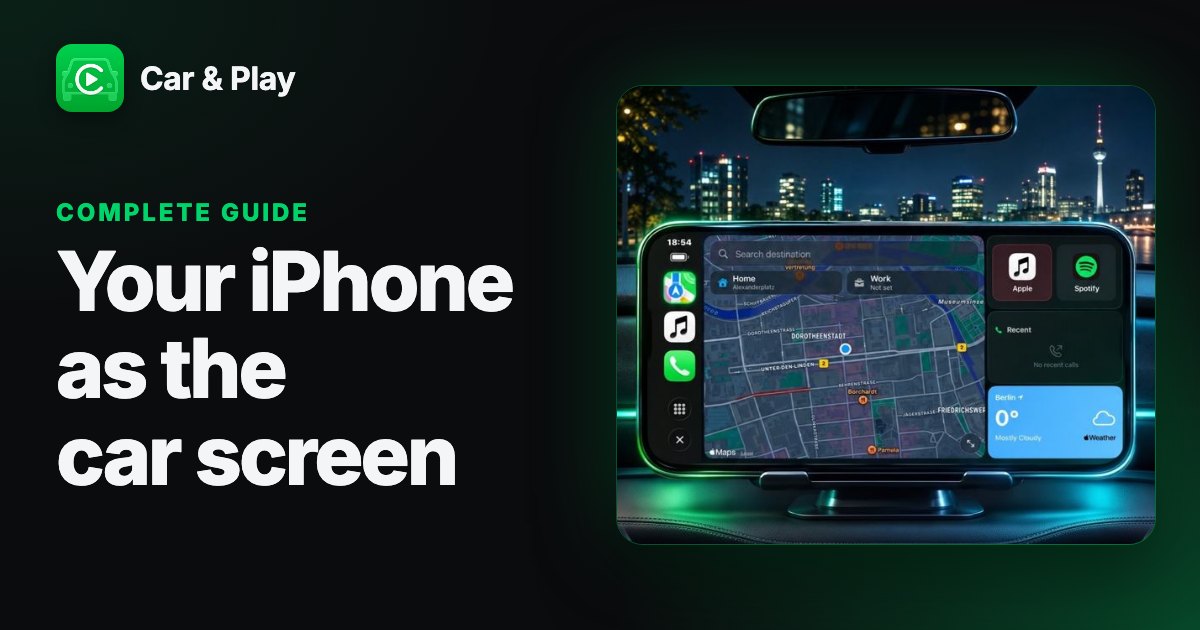
Your car is a few years old, or it simply never got Apple CarPlay. You still want a proper map with spoken directions, your music and a quick way to call someone, without fiddling with small buttons while you drive. The good news: you don't need a new car or a new head unit. Your iPhone can be the screen.
Put your iPhone in a holder on the dashboard, sideways, and plug it into a charger. Then use Apple Maps for spoken directions and your car's Bluetooth for sound, or open an app made for the job, such as Car & Play: tap Start Car Mode and you get one big landscape screen with the map and weather, plus music and calls with Pro.
What you need
- A phone holder. A dashboard, windscreen or air-vent holder that keeps the iPhone steady and sideways (landscape). Put it where you can glance at it without looking away from the road for long, and where it doesn't block your view or an airbag. Rules on where a phone may go differ by country, so check yours.
- A charger. Navigation with the screen on uses a lot of battery. A USB cable or a car charger keeps you going on long drives.
- A way to hear it. Connect your iPhone to the car by Bluetooth (or an AUX cable in older cars). Directions, music and calls then play through the car's speakers.
The free way: Apple Maps and Siri
Everything you need for a basic setup is already on your iPhone.
- Directions: Apple Maps gives spoken turn-by-turn directions. Do the set-up before you leave: save your Home and Work address so they're one tap away, and if you'd rather skip toll roads, tell Maps to avoid tolls.
- Music: start your playlist before you drive. Over Bluetooth, many cars' steering-wheel buttons can skip tracks.
- Calls: use Siri ("Call Anna") instead of tapping through your contacts.
Prefer Google Maps or Waze? They're free too and work the same way in a holder. This works, but you switch between separate apps, and each one is designed for holding the phone in your hand: small buttons, lots of text, and the map, music and phone never on one screen together.
The easier way: Car & Play
Car & Play, our app, is built for exactly this: it turns your iPhone into a simple car dashboard, in any car. It's not Apple CarPlay and doesn't need it. It runs on your iPhone.
- Open Car & Play. The first time, it asks what you want on your car screen and for your location (for the map, speed and local weather).
- On the Main tab, tap Start Car Mode.
- Turn your iPhone sideways in the holder. Car Mode fills the screen in landscape.
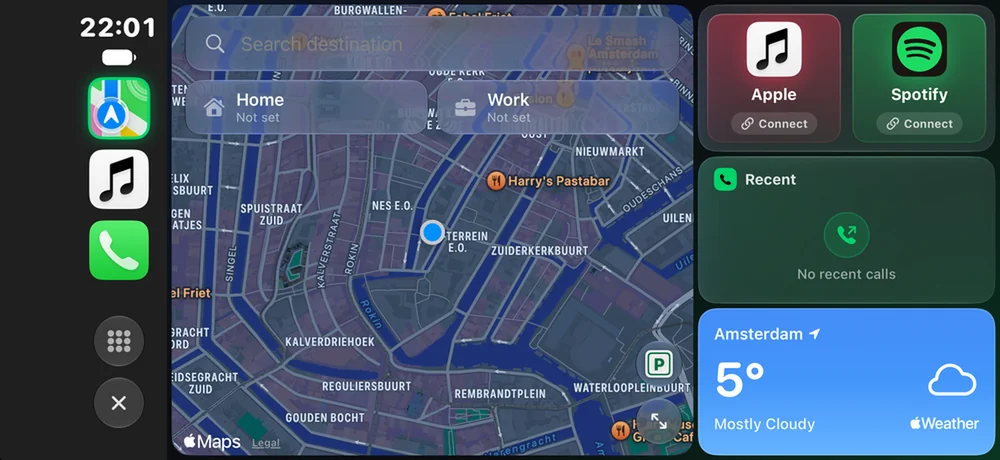
What you get on that one screen:
- Map with spoken directions. Home and Work are one tap away, and if you miss a turn, a new route is ready in seconds.
- Apple Music and Spotify with large controls, plus live radio stations from your country.
- One-tap calls to recent calls and your contacts, with a big keypad.
- Weather where you're driving, and a speedometer with your current, top and average speed.
To leave Car Mode, tap the ✕ at the bottom of the left sidebar.
It's made for glancing. While the car is moving, typing, searching and video switch off, so you set your destination and music before you drive. When you're parked you can watch YouTube or your own videos.
Car & Play is free to download, and the dashboard, maps and weather are free. Pro unlocks music, one-tap calling, the speedometer, the saved parking spot and parking timer, video when parked and more. Prices are shown in the app before you buy.
Is this the same as CarPlay?
No. Apple CarPlay shows a simplified version of your iPhone on the car's own built-in screen. It only works if your car (or an aftermarket stereo) supports it. Without that, there's nothing for CarPlay to connect to.
You can add CarPlay to an older car with an aftermarket stereo or a plug-in CarPlay screen, but that means buying and fitting hardware. Using your iPhone as the screen works in any car, old or new, because the iPhone does everything itself. The trade-off: the screen is your phone's size, so a good holder in a good spot matters more.
Tips for a better setup
- Set everything up before you set off. Destination, playlist, volume. It's safer, and with Car & Play typing is switched off once you're moving anyway.
- Keep it charging. A map with the screen on drains the battery quickly, especially in summer heat.
- Turn the brightness up. In sunlight a dim screen is hard to read at a glance.
- Remember where you parked. In Car & Play, tap I parked here when you arrive, and it walks you back to the car later.
Frequently asked questions
Can I get CarPlay in a car that doesn't have it?
Only by fitting a new stereo or a separate screen that supports CarPlay. Using your iPhone itself as the screen needs only a holder, and works in any car.
Does my car need Bluetooth?
Not for the screen itself. But to hear directions, music and calls through the car's speakers, you need Bluetooth or an AUX cable. Without either, the sound comes from the iPhone's speaker.
Is Car & Play free?
The app is free to download, and the dashboard, maps and weather are free. Pro unlocks music, one-tap calling, the speedometer, the saved parking spot and parking timer, video when parked and more.
Which iPhones work?
Car & Play needs iOS 17.6 or later. Apple Maps and Siri work on any recent iPhone.
Will it drain my battery?
Navigation with the screen on uses a lot of power on any app. Keep your iPhone plugged into a charger for longer drives.
Keep reading
 Apple Maps
How to Set Your Home Address in Apple Maps on iPhone
Save Home and Work in Apple Maps so directions are one tap away, see your travel time at a glance, and change or remove an address that's wrong.
Read guide → Apple Maps
How to Avoid Tolls in Apple Maps on iPhone
Make Apple Maps skip toll roads (and motorways if you like) on your iPhone, for one trip or every trip, and how to switch it back off.
Read guide →
Your iPhone can be the car screen
Car & Play puts maps, music, calls and radio on one big dashboard, in any car. No account needed.